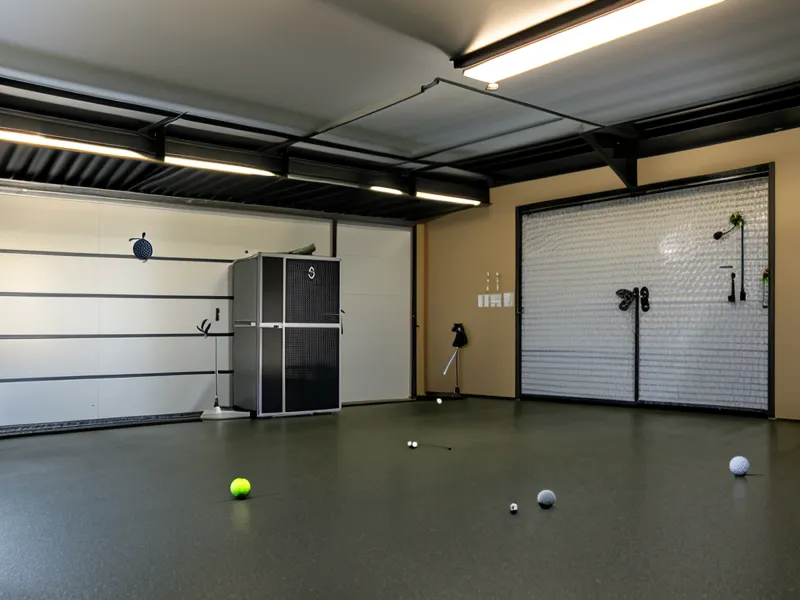
Flush contact, that dead-solid thump off the impact screen, and the SkyTrak's status light just sits there — amber, unmoving, refusing to register a single yard of that 7-iron carry. Two years into this garage simulator build, that gut-drop still happens more than I'd like, and by now I've learned it almost never means the launch monitor itself is broken. It means the room around it is failing at the one job I never budgeted time for when I set the thing up: indoor golf lighting. Troubleshooting a SkyTrak that won't read starts with the bulb overhead, not the hardware in the box.
My early assumption was that clearance mattered more than illumination. I'd measured swing paths against the garage door more times than I can count before I ever thought about what the camera actually needed to see. The overhead shop light I'd already mounted seemed like plenty. It wasn't. A launch monitor is basically a very fast camera rig, and if the lighting around it is wrong, that camera can't find the dimples it needs to calculate carry distance, no matter how much hardware is packed inside a six-and-a-half-inch box.
The Bright-Garage Myth That Wasted Two Lighting Kits
More light seemed like the obvious fix, so I ordered a pair of high-CRI photography panels, the kind you see lighting a YouTuber's desk setup. They made the no-read problem worse, not better. Most cheap LED panels dim using pulse-width modulation, flickering at a rate the human eye smooths right over but a high-speed sensor catches frame by frame — the camera equivalent of photographing a car through a picket fence at highway speed. Both panels went back within the week (my wife, no fan of round-trip shipping becoming a recurring hobby, dropped them at the UPS store without a word). A quiet, expensive lesson in not overcorrecting. Consistency in the light source turned out to matter more than raw brightness, every time I tested it.
Troubleshooting Shadows Before I Ever Touched a Bulb
A clip-on work light sat behind me for most of that first stretch, throwing my own shadow straight across the hitting zone at the exact moment of impact. The SkyTrak would lose the ball inside that shadow, or worse, latch onto the moving shadow of the clubhead instead of the ball itself. Chunk one off the mat during those test sessions and you'd feel it. The rubber tee kicking back to center with a snap, a small physical tell that has nothing to do with lighting but says plenty about how much of this build gets solved by feel before a screen ever confirms it.
Someone I know spends his Saturday mornings throwing discs through Winton Woods and still doesn't get why I'd rather spend mine chasing lumens in a garage. I don't have a great answer beyond the fact that a working simulator lets me play on a Tuesday night instead of waiting on a weekend that knee surgery already shortened.
Where the Spotlight Actually Needs to Point
A cheap clip-on spotlight, mounted directly above the hitting zone and angled slightly toward the screen, fixed more of this than either returned LED kit combined. The goal isn't to light the whole garage; it's to light the ball while everything behind it stays dark. Picture a theater stage where the ball is the only thing standing in the spotlight, bright against a dead-black hitting mat or a dark net so the cameras can pick the dimples out of the void instead of hunting for them against a wash of ambient glare.
Keep the Projector From Fighting the Camera
Anyone running a projector on top of the launch monitor has a second contrast problem stacked on the first. Light spilling off the screen floods the same patch of floor the SkyTrak is trying to keep dark, dragging the ball's brightness advantage back down toward the background instead of letting it stand apart. That's the exact opposite of what the spotlight is there to do. Mine needed a few degrees of tilt to keep that bleed off the floor entirely, a separate wrestling match I worked through while figuring out how to mount a golf simulator projector in a low ceiling garage without clipping it on a follow-through. Get that angle wrong and the spotlight can be aimed perfectly and the read quality still wanders depending on which frame of the course video happens to be playing behind the ball.
Windows cause the same fight in daylight. Sunlight carries plenty of infrared, the same range the SkyTrak leans on to find the ball, so a stray beam crossing the mat in the afternoon can wash out a read faster than a bad lie ever could. Blackout fabric, picked up cheap at a home store out past Kenwood Towne Centre, handled that for me in about twenty minutes flat.
What Fixed the SkyTrak's Yellow Light, Around Week Five
Around week five of chasing this, the combination finally held: spotlight above the ball, dark mat and net behind it, projector tilted clear, window blacked out. The status light stopped hesitating, the 7-iron carry numbers stopped jumping around for no reason, and Tuesday nights in the garage stopped feeling like a coin flip.
My wife walked in partway through one of those sessions expecting to find me swearing at a status light again, and instead found me cross-referencing ball speed numbers in a spreadsheet with an expression she later described as borderline happy. For a spreadsheet, that's a strange compliment to earn.
The Rest of the Garage Simulator Build
Lighting turned out to be one puzzle in a longer list. The mat underneath all of this affects your joints as much as your ball flight, the net and screen behind the ball only stay usable if you respect what they can actually absorb over time, the launch monitor's core numbers are worth understanding before you ever second-guess a reading, whether you build a full enclosure or leave the bay open changes how forgiving a mishit becomes, containing a shank so it doesn't put a divot in the drywall is its own separate project, and a concrete slab that isn't level will throw off a stance before a single photon gets involved. None of that gets fixed by better lighting, and none of this gets fixed without it either. If you're earlier in the build than I am, sort the launch monitor decision first — I laid out why I chose the SkyTrak launch monitor for my garage setup long before any of this lighting mess started.
The lesson that stuck from all of it: fix the room before you blame the box. A rubber anti-fatigue mat I tried under my stance foot earlier in this build is the same story in a different shape — it compressed unevenly and threw off my weight shift long before the SkyTrak ever had an opinion about anything, and I didn't catch it until I stopped assuming the expensive piece of gear was always the one at fault. Whatever's acting up in a garage simulator, check the twenty-dollar fix before you return the two-thousand-dollar one.